NOTE for LGA 1700 Owners
Upgrade kits from Amazon are shipping with incorrect number of parts. I had to buy two upgrade kits to get all the parts I needed. The first kit I purchased only had three O-rings, while the second upgrade kit only had three LGA 1700 standoffs. My suggestion, buy two kits and RMA the other once you are done building. Someone at Arctic totally dropped the ball on this when packaging the kits.
Also read the manual very carefully - HERE .
This video shows ARCTIC Liquid Freezer II, but backplate installation, and mounting is the same for ARCTIC Liquid Freezer II 280.
Most importantly, use the right mounting standoffs. I made the mistake of getting the standoffs mixed during the build. This was totally my fault.
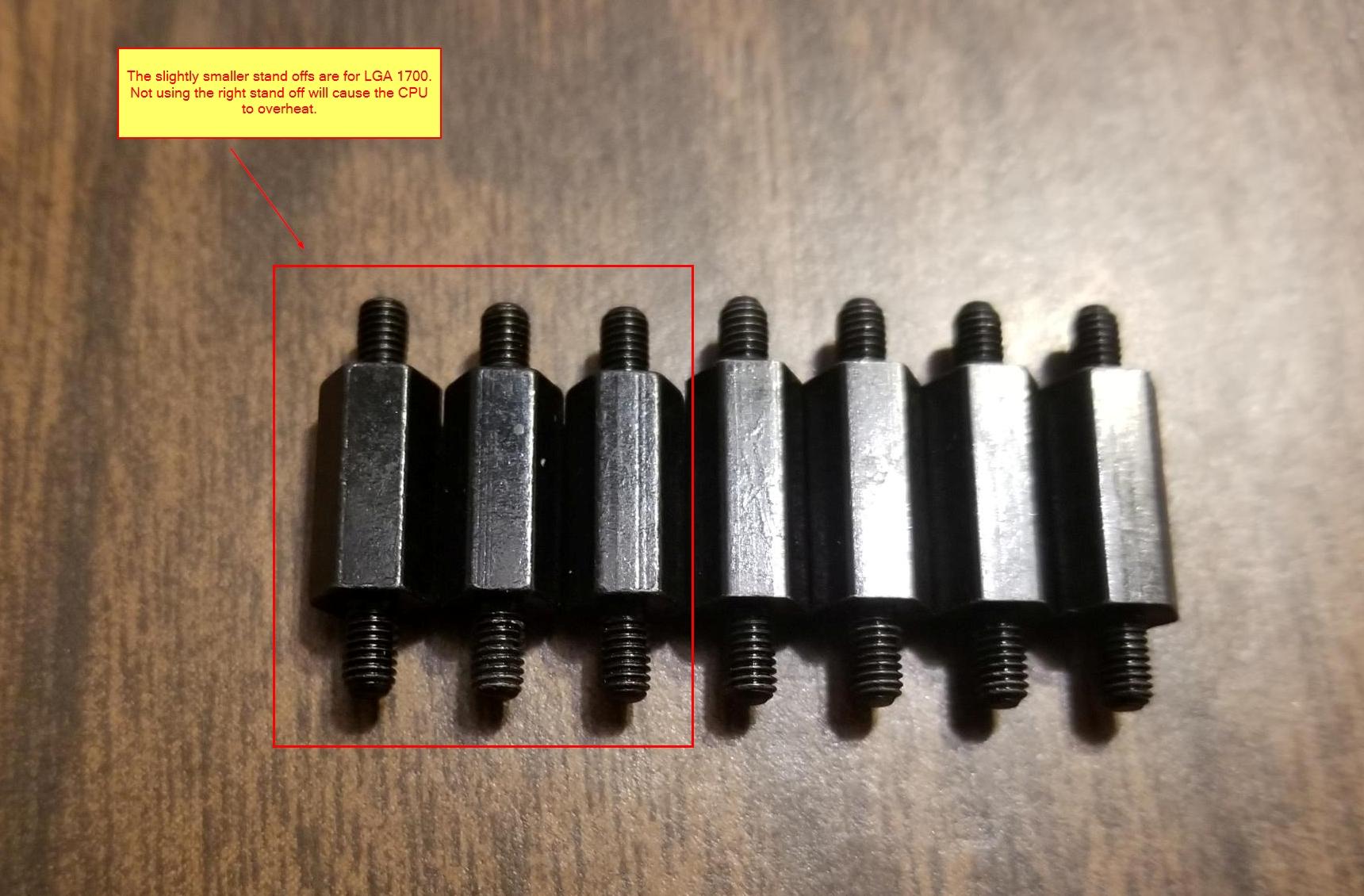
Use the correct mounting standoffs
I realized there was something wrong with the setup when I rendered a video, and the temperatures were hitting 100c. I would have expected synthetic benchmarks to do this, but not video rendering.
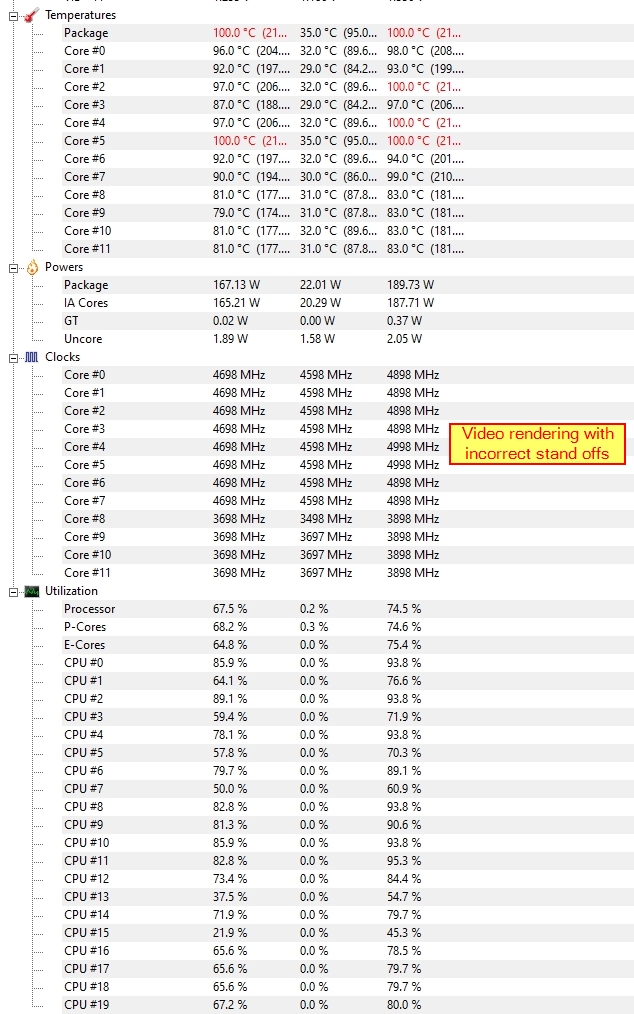
High temperature when video rendering
Here is an article on Arctic’s website that mentions this fact.
Hopefully all this will become obsolete soon as companies adopt to the new LGA 1700 standard.
Full Parts List
Here is the full parts list from my latest build - PCPartPicker . I will discuss more about the parts in a different post.
Installation
Out of the box, the fans are mounted on the side with the tubes, with air pushing on to the radiator. I had to the change the position of the fans, and fit them to the back of the radiator. This was necessary to accommodate the cooler with my case. There was simply not enough clearance because of the GPU.
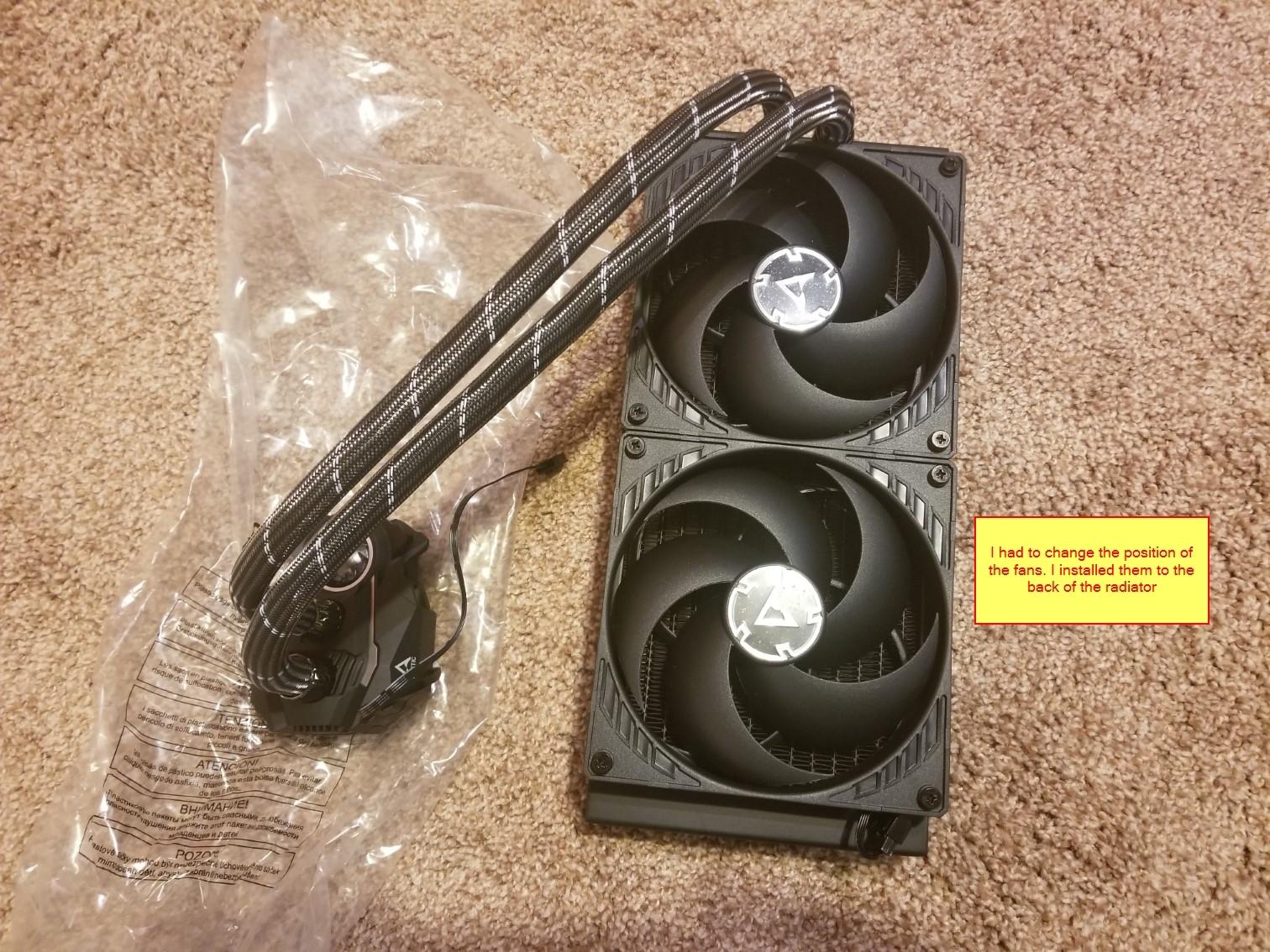
In addition to this, the size of the case restricted me from installing all three case fans. Therefore, I installed one of the spare case fans into the radiator. Refer to the picture for more information.
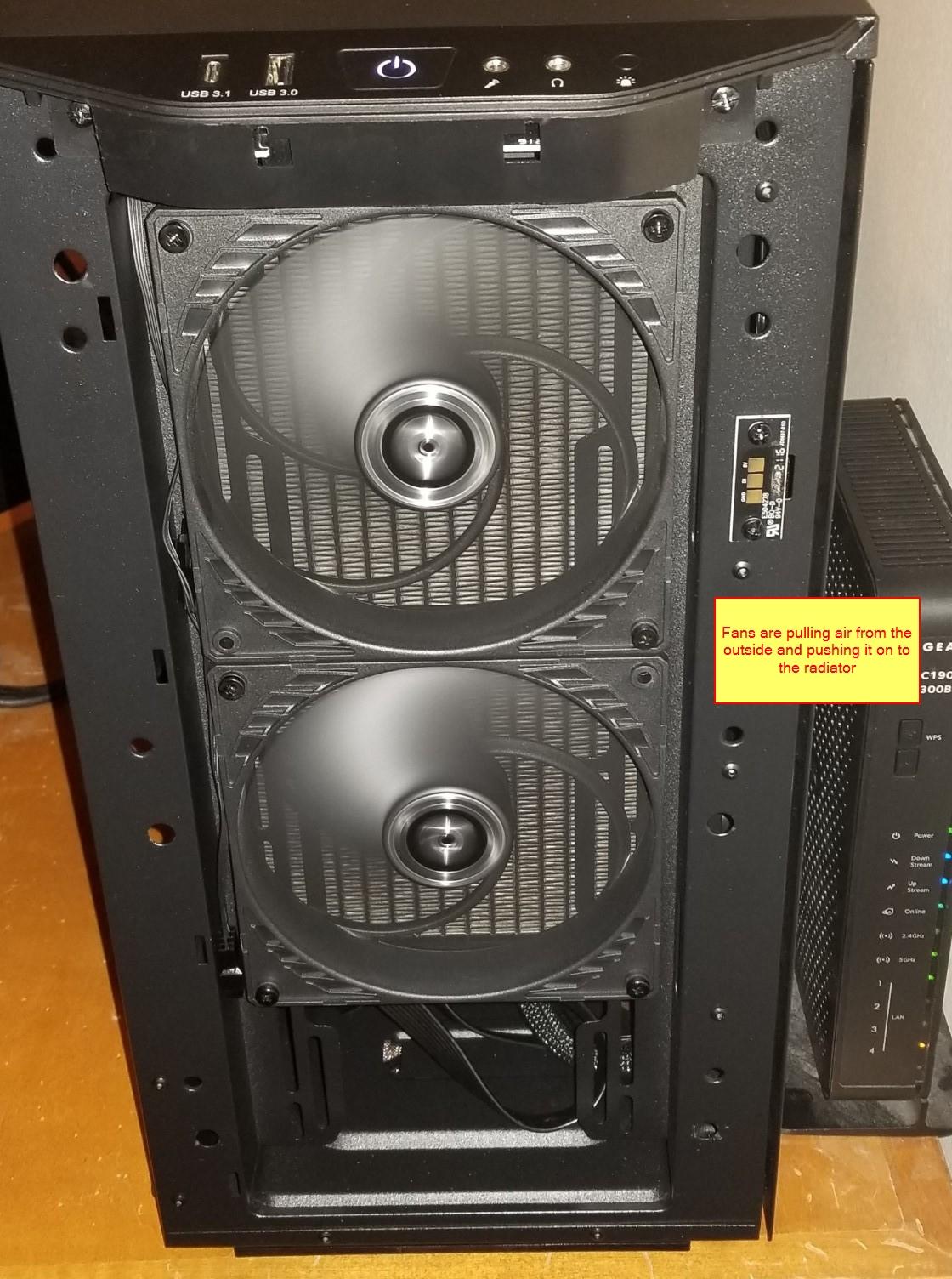
Front of the case
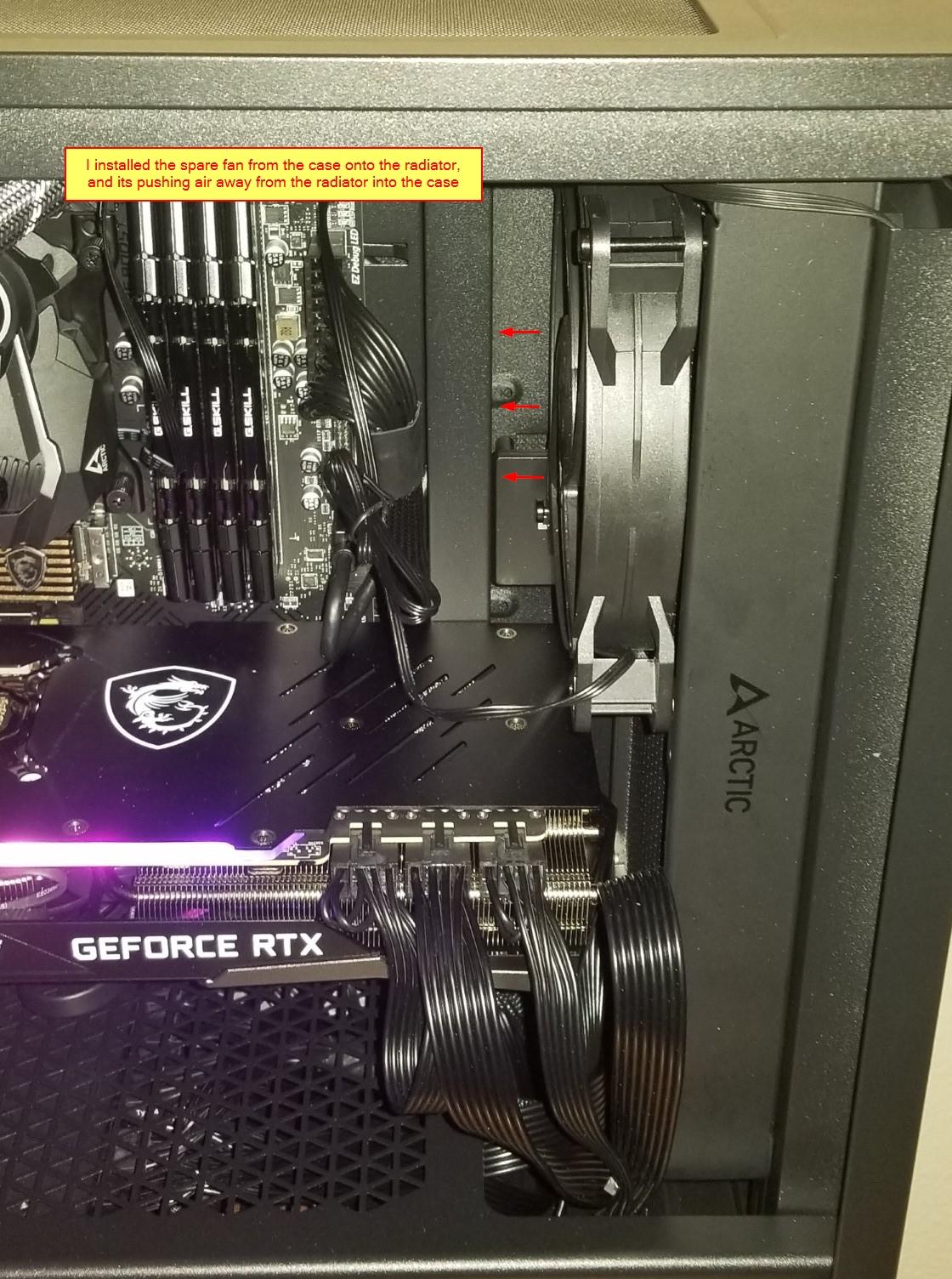
Third fan on the radiator
Performance
In a blended test in Prime95, the temperatures hover around 65 - 75c, and the torture test will hit 100c. This didn’t matter with or without the wrong stand offs. Torture test will push all the cores to 100% utilization, and at this point, I expect the temperate to hit the thermal limit.
Real world tasks on the other hand, are far more forgiving. Playing Battlefield 2042 at ultra settings, the CPU temperature is around 65c, and video rendering has never crossed 70c.
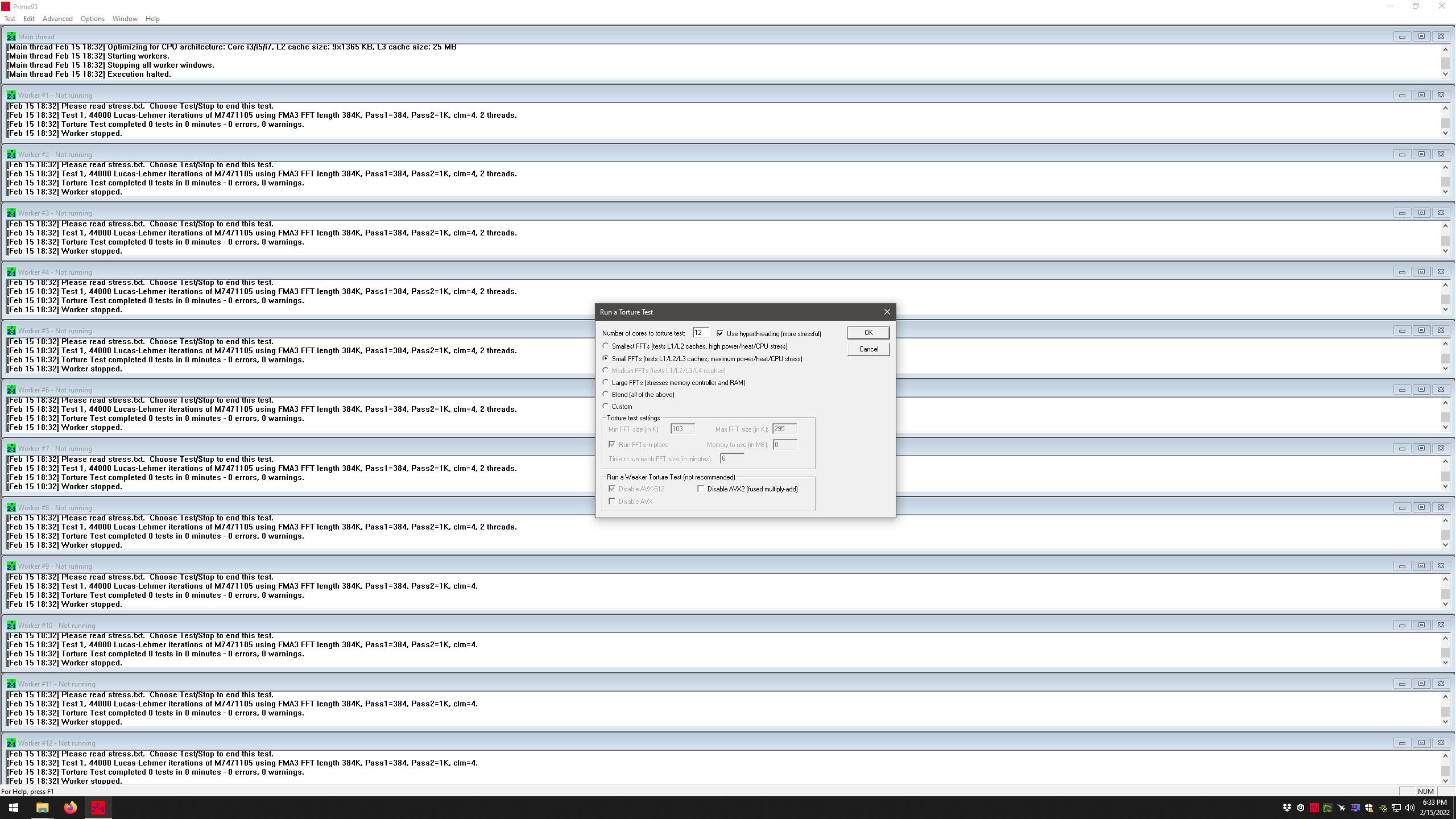
Prime95
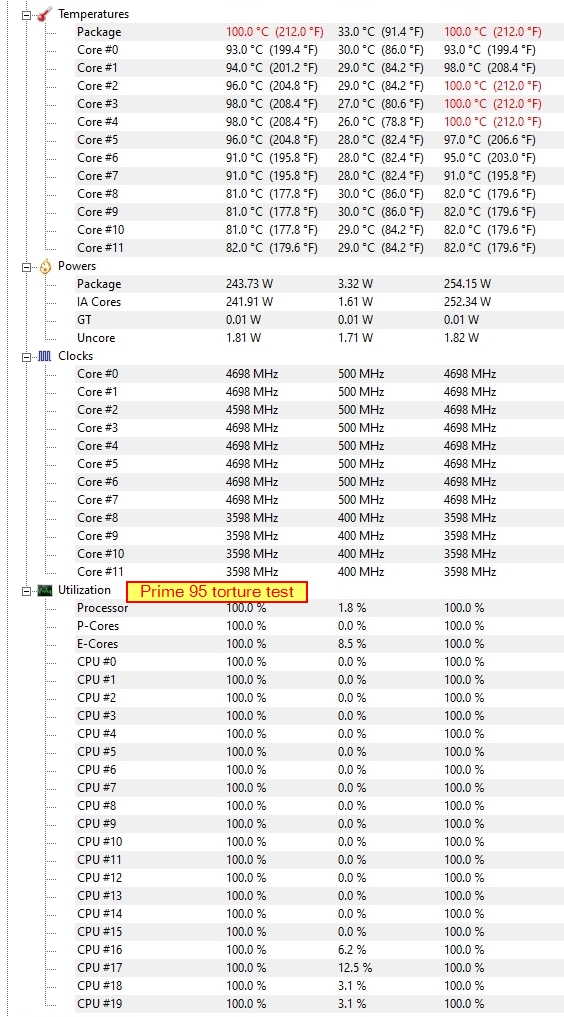
Prime95 torture test
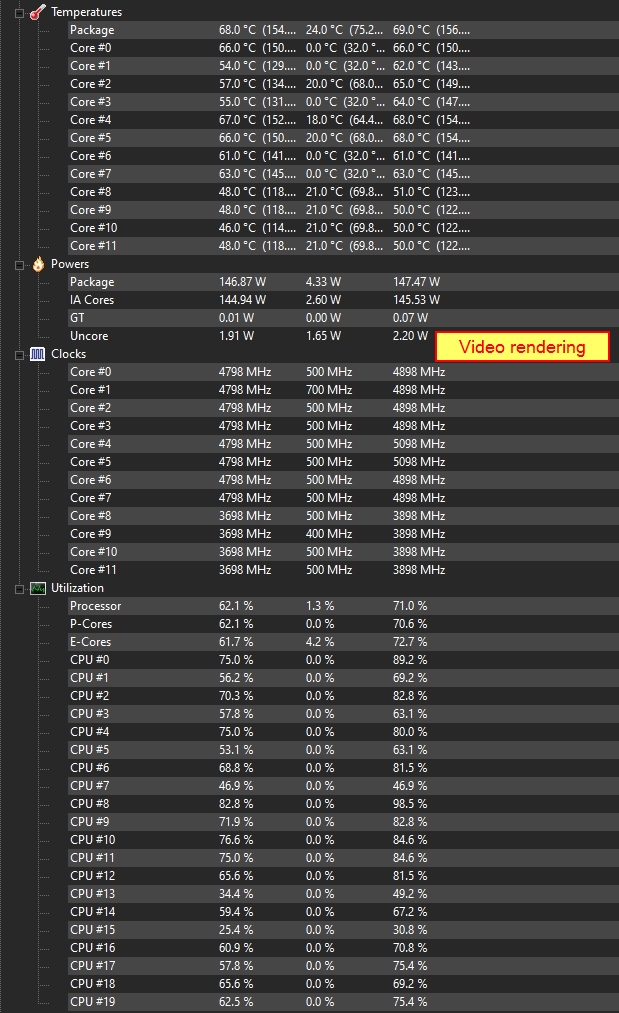
Video rendering temperature
Conclusion
I am quite pleased with the cooler. I truly wish Arctic had gotten its act together with the upgrade kits. I am going to rate this 4/5.
This post is published on Apr 26, 2026 Sunday 07:53:26 AM CDT