I had trouble getting Eclipse 2019-06 M1 (4.12.0M1) to run using JDK version 11. I had Java 8 installed on my machine, so when Eclipse launched, it was picking up Java 8.
After uninstalling Java 8, Eclipse wouldn’t launch because the new JDK wasn’t installed.
Adding this to the eclipse.ini file fixed the issue for me -
-vm
D:/java/jdk-11.0.3/bin/javaw.exe
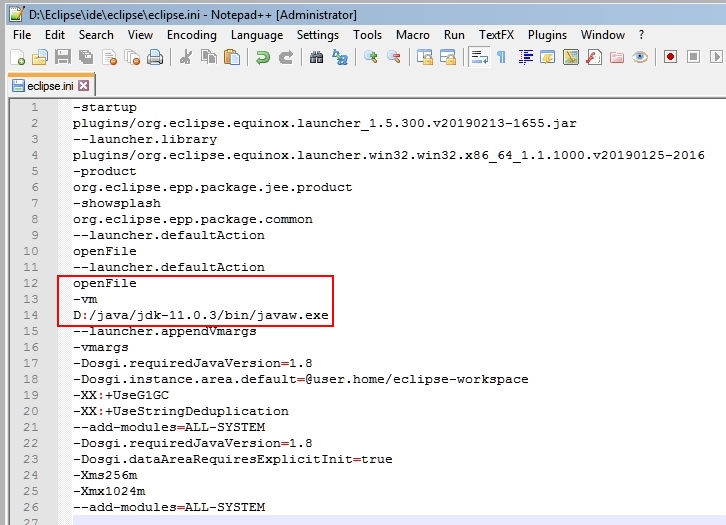
eclipse.ini
Here is the full eclipse.ini file -
-startup
plugins/org.eclipse.equinox.launcher_1.5.300.v20190213-1655.jar
--launcher.library
plugins/org.eclipse.equinox.launcher.win32.win32.x86_64_1.1.1000.v20190125-2016
-product
org.eclipse.epp.package.jee.product
-showsplash
org.eclipse.epp.package.common
--launcher.defaultAction
openFile
--launcher.defaultAction
openFile
-vm
D:/java/jdk-11.0.3/bin/javaw.exe
--launcher.appendVmargs
-vmargs
-Dosgi.requiredJavaVersion=1.8
-Dosgi.instance.area.default=@user.home/eclipse-workspace
-XX:+UseG1GC
-XX:+UseStringDeduplication
--add-modules=ALL-SYSTEM
-Dosgi.requiredJavaVersion=1.8
-Dosgi.dataAreaRequiresExplicitInit=true
-Xms256m
-Xmx1024m
--add-modules=ALL-SYSTEM
After successfully getting Eclipse to use the new JDK, here is the version information -
Eclipse IDE for Enterprise Java Developers.
Version: 2019-06 M1 (4.12.0M1)
Build id: 20190418-1421
OS: Windows 7, v.6.1, x86_64 / win32
Java version: 11.0.3
This post is published on Apr 21, 2026 Tuesday 07:40:23 PM CDT